Get a site plan online
Site plans online for any Australian address, for your council or certifier. See your own lot before you pay, draw on it in minutes, or we draw it for you.
RapidSiteplan is an Australian service for getting a site plan online, for a council or certifier in any state or territory. You can draw it yourself on your real lot for $75, or we draw it for you: A$150, 5 free revisions within 14 days.
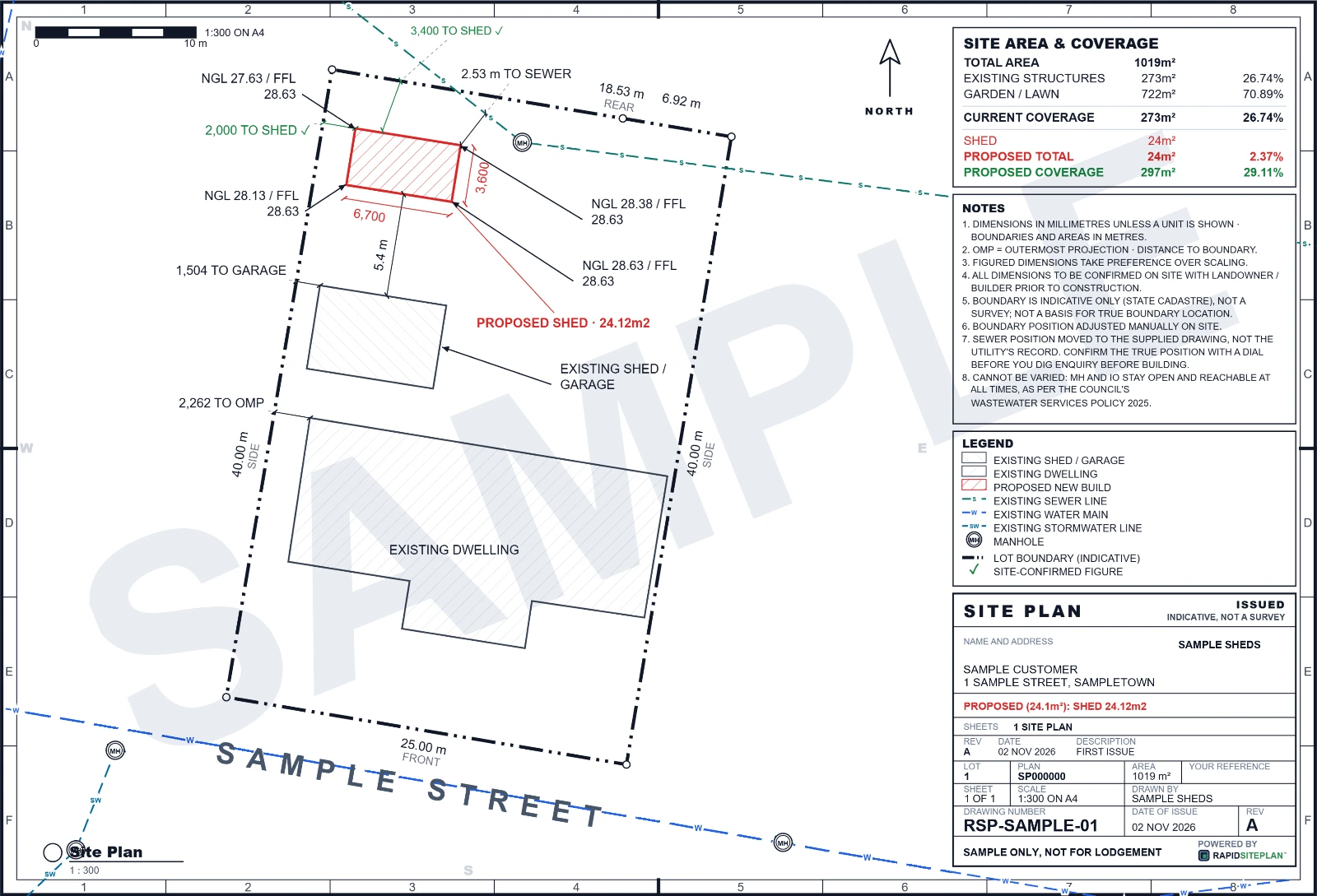
Two ways to get your site plan online
Draw it yourself, $75
- Type your address. The boundary and aerial photo load before you pay anything.
- Place the patio, carport, shed, pool, deck, fence, driveway or granny flat at true size. The council rules are checked as you draw.
- Print the sheet to scale. Edits and re-downloads are included, so it can change as the job changes.
We draw it for you: A$150, 5 free revisions within 14 days
Make an account, say what you want, add your details, images and plans, and pay. You can add more after you pay. How having a site plan drawn works.
On a Professional plan it is A$50 per request and uses one plan.
What goes on the sheet
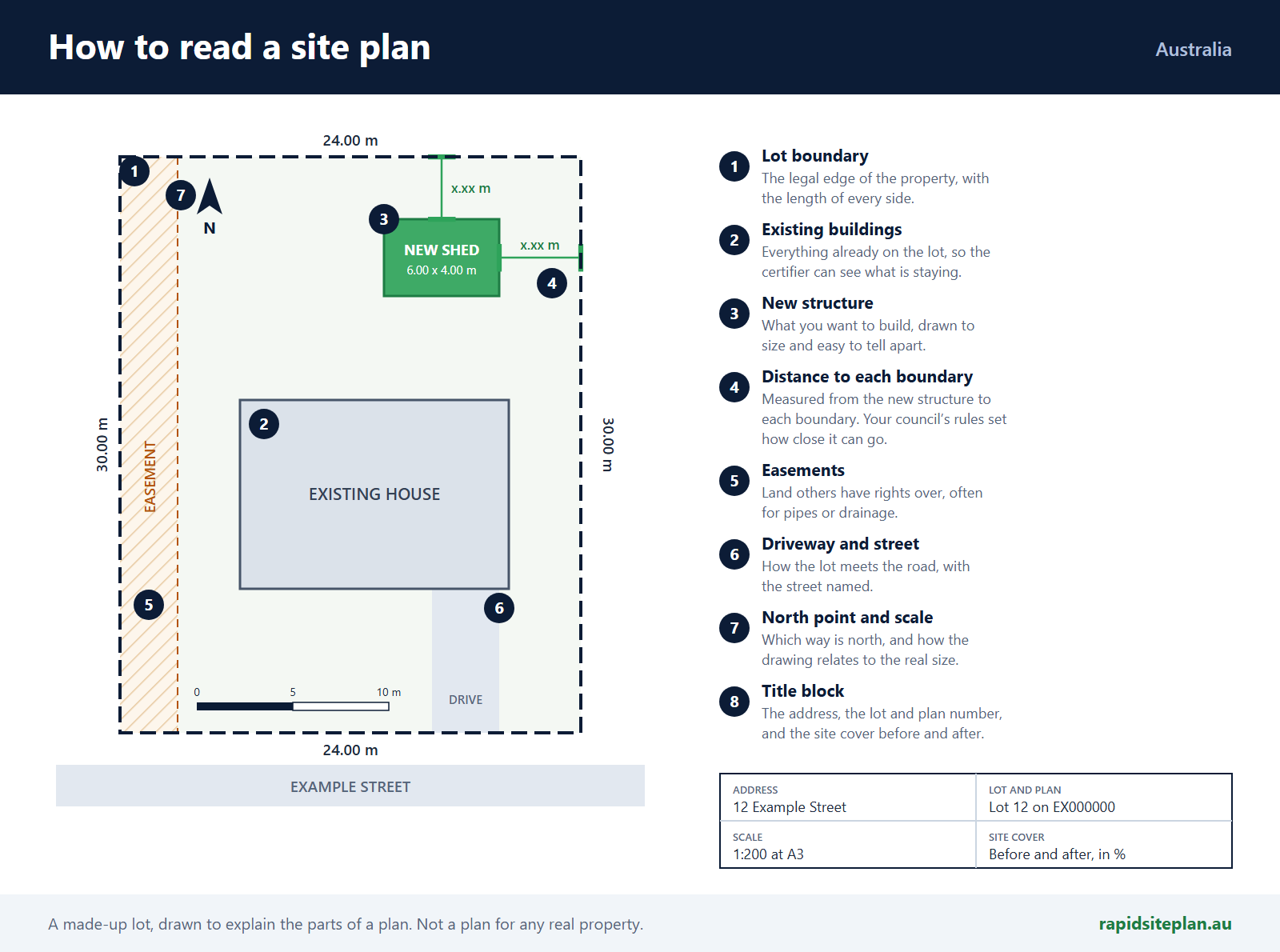
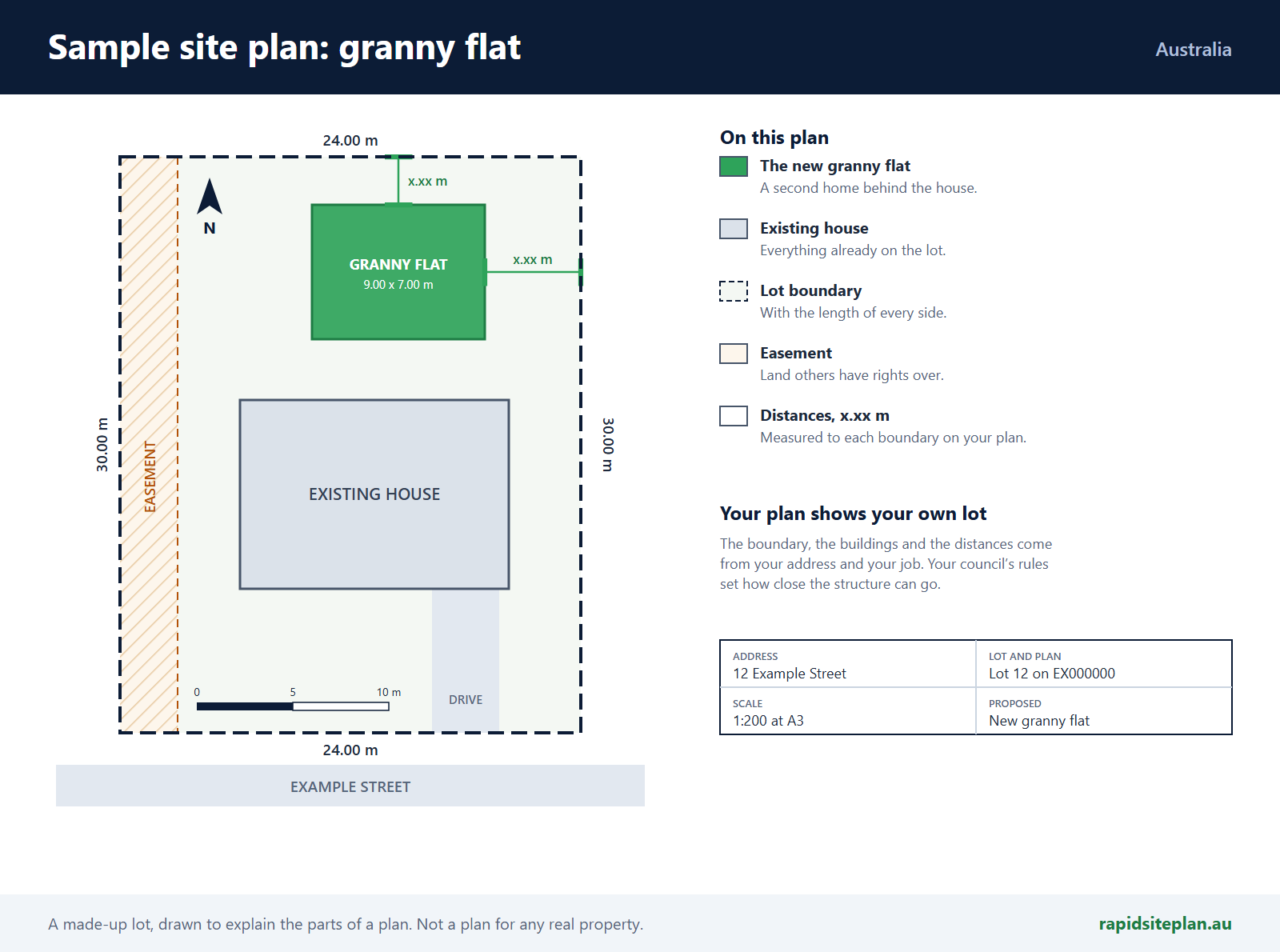
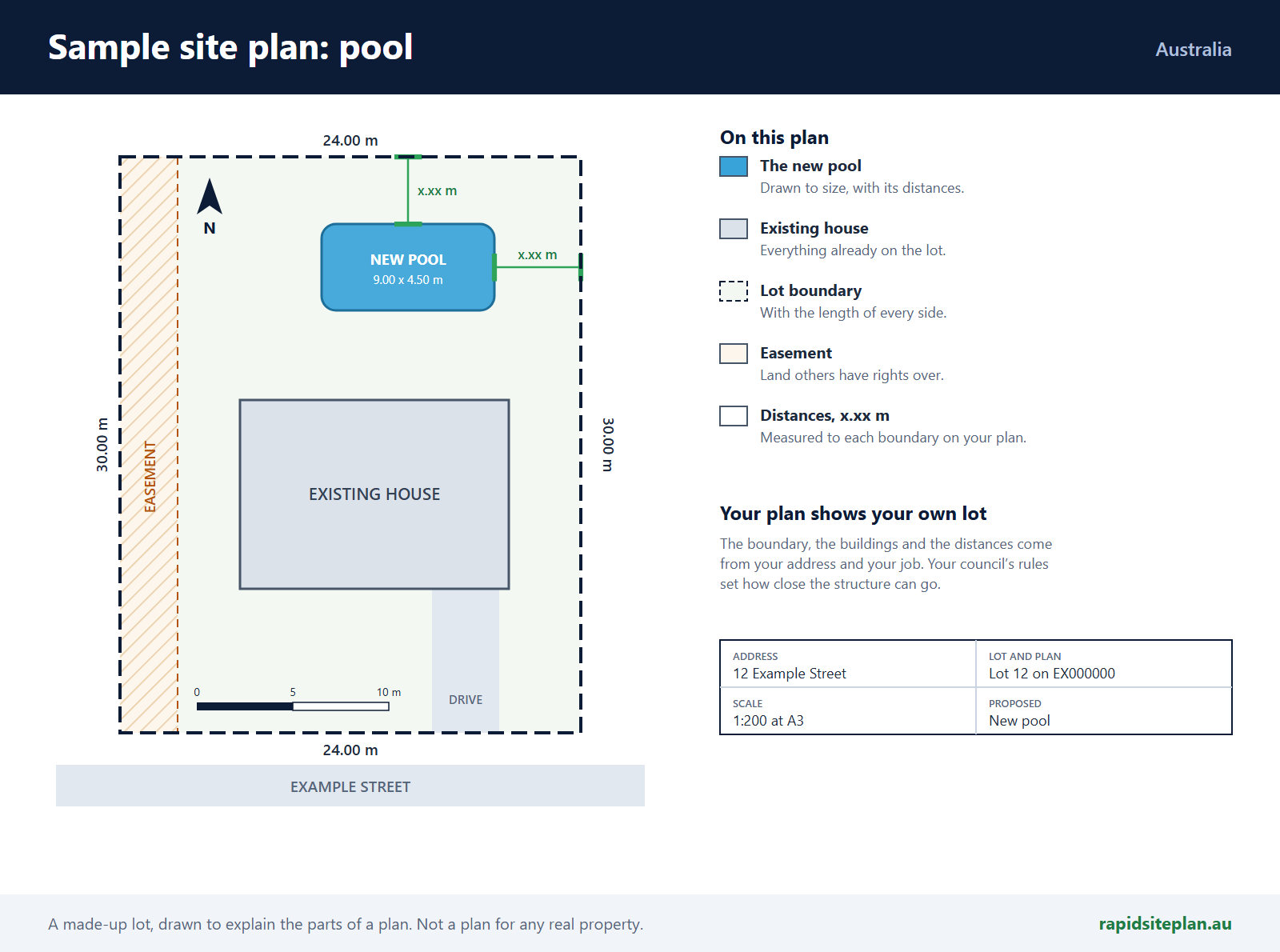
- The lot boundaries with their lengths, and the lot and plan number
- Every building already on the property
- The new structure, dimensioned, with its distance to each boundary
- A north arrow, the scale, the street name and a title block
- Site cover before and after, and the readings worked out for the site: wind class, bushfire level and corrosivity
Sample site plans
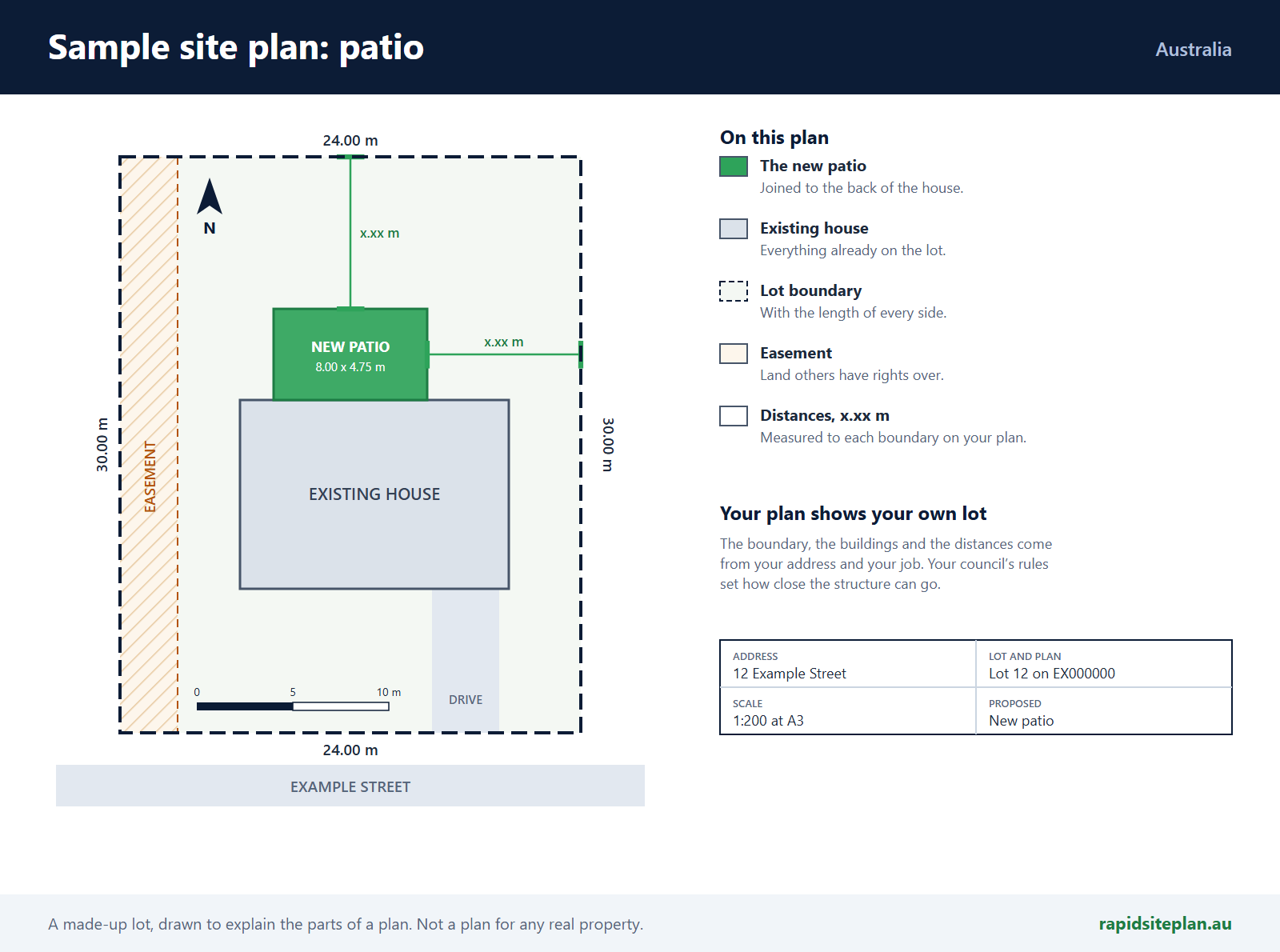
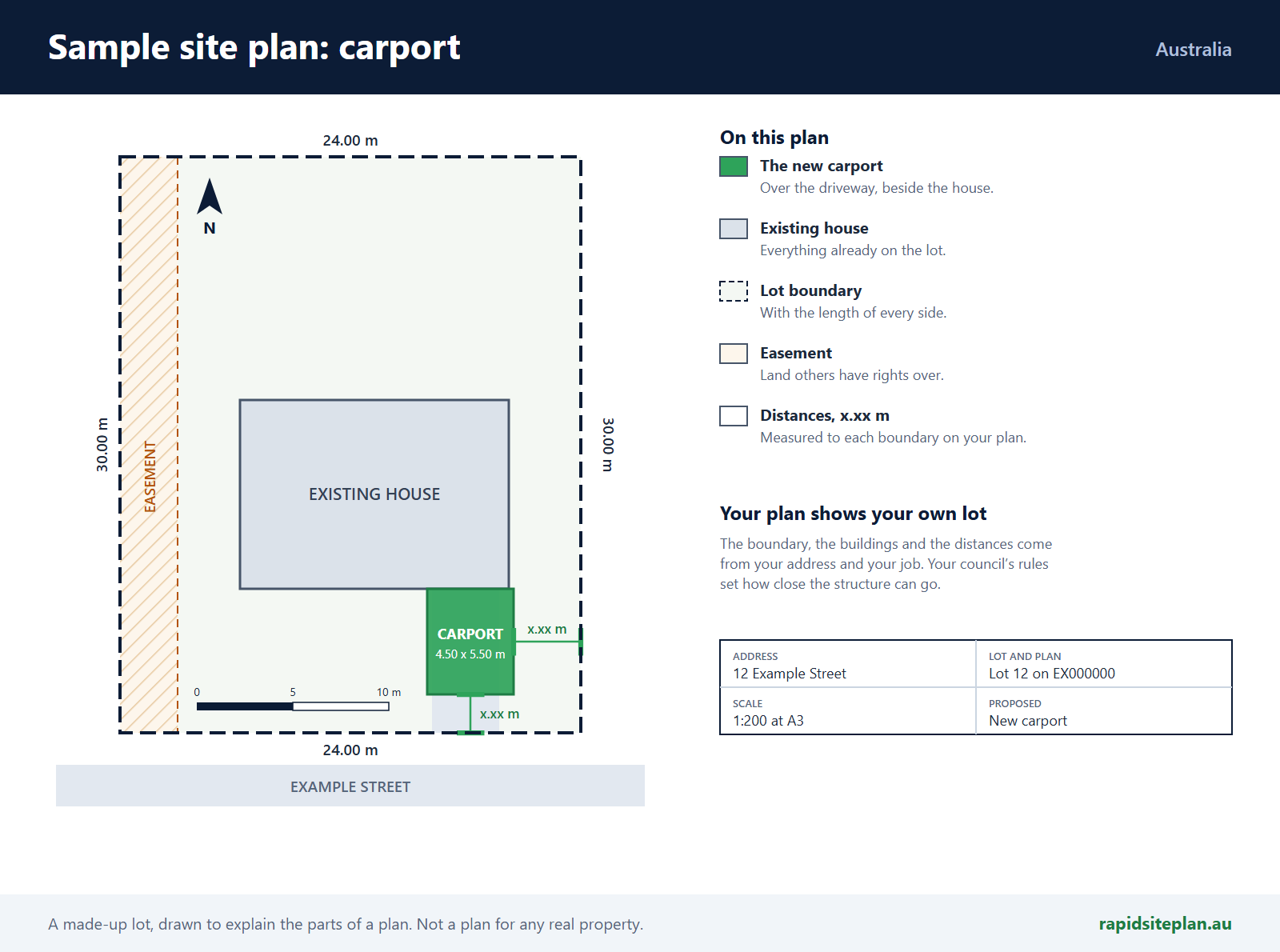
The layout for other kinds of job, drawn on the same made-up lot. Yours shows your own lot, with its real boundary and buildings.
Drawing it online or sending it to a drafter
A drafting service takes your details and returns a PDF, often within a day or so, with whatever changes its price includes. That suits a job that is settled. Designs rarely are: a certifier, a builder or the customer usually moves something at least once. Drawn online, the change takes minutes and the distances to the boundary update as you move it.
A licensed surveyor does different work, fixing where the boundary legally sits. The site plan or survey plan post explains the difference.
Why your address matters
The format of a site plan is the same across the country. The rules on it are not: each council and state sets its own setbacks, site cover and overlays, and a flood, bushfire or heritage mapping can change what the lot allows. Find your council to see how it works there, or read how to draw a site plan for council.
Common questions
How do I get a site plan online? Type the address and the lot loads with its boundary and an aerial photo. Place your structure at true size, check it against the council rules as you draw, then print the sheet to scale. If you would rather not draw it, make an account, say what you want and add your details, and we draw it for you.
How much does a site plan cost online? $75 for one property, once, with edits and re-downloads included. Having us draw it comes to A$150, with 5 free revisions within 14 days. On a Professional plan it is A$50 per request and uses one plan. You see the price for your property before you start, and nothing is charged until you confirm the property.
Will the council accept a site plan made online? Councils and certifiers generally accept a clear, accurate, to-scale site plan whoever drew it. What they check is the content, so compare the sheet with your council’s checklist before you lodge. Where the exact legal boundary matters, such as building on the line, they may ask for a survey instead.
How long does it take? Drawing it yourself takes minutes once the lot has loaded. A plan we draw is emailed back to you once it is drawn.
What do you need from me? To draw it yourself, the address and the size of what you are building. To have it drawn, an account, then your details and any images and plans you have.
What if the plan needs changing? On a plan you draw, move anything and print again: edits and re-downloads are included, and the distances to the boundary update as you go. A plan we draw comes with 5 free revisions within 14 days.
Can I get a printed copy? You download the sheet as a PDF, ready to print or to send to your council or certifier.
Do I need a surveyor? Usually not for an ordinary patio, shed or carport well inside the boundary. A surveyor is worth paying for when you build on or very near the line, in a boundary dispute, or when a certifier asks for a survey.
Does it work for my address? Every council in every state and territory has a page here. The Northern Territory publishes no open lot boundaries, so a lot there starts from a box you set to your own measurements, and you are told before you pay.